Choose the target and evidence, then review an exact proposed change.
Interactive sample. Fictional Harbor Workshop data. Demo steps run locally in your browser.
Optional demo measurements
Help improve these samples by sending the completed demo name and a random, single-use receipt to LiveWiki. Counts are aggregated by day. Your typed text, account and document data stay out of this request. Completion counts do not identify unique visitors.
Harbor Workshop / OnboardingSaved sample r1
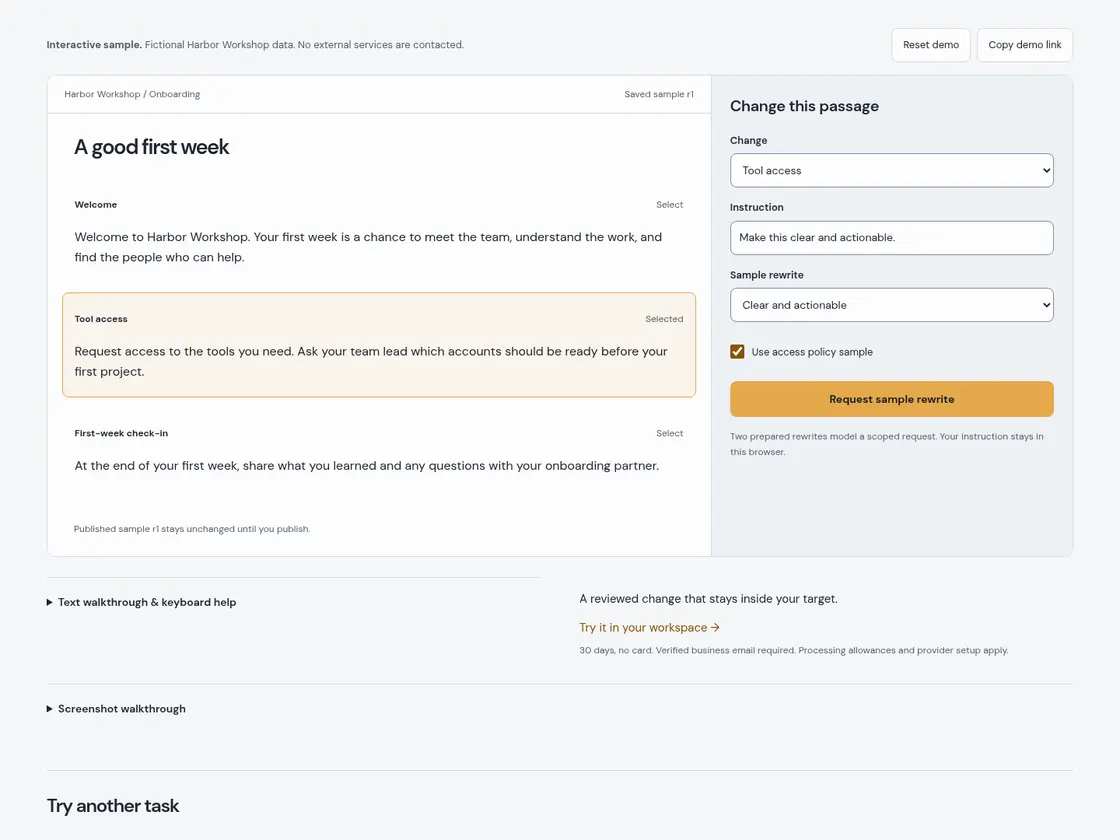
A good first week
Welcome to Harbor Workshop. Your first week is a chance to meet the team, understand the work, and find the people who can help.
Request access to the tools you need. Ask your team lead which accounts should be ready before your first project.
At the end of your first week, share what you learned and any questions with your onboarding partner.
Published sample r1 stays unchanged until you publish.
Text walkthrough & keyboard help
Choose a paragraph and the sample supporting policy.
Request a sample rewrite and advance the labeled event replay.
Freeze the ready version, compare, then Apply. Publication is separate.
Use Tab to move between controls, Enter or Space to activate buttons, and arrow keys in lists. Every drag interaction has a button alternative. Reset clears only this sample.
A reviewed change that stays inside your target. Try it in your workspace →30 days, no card. Verified business email required. Processing allowances and provider setup apply.
Screenshot walkthrough
Actual screenshots of this interactive sample. Use the still frames at your own pace, or play the optional animated WebP.
Static frames respect reduced-motion or data-saving preferences.